|
|
|
|
DiskBoss File Navigator
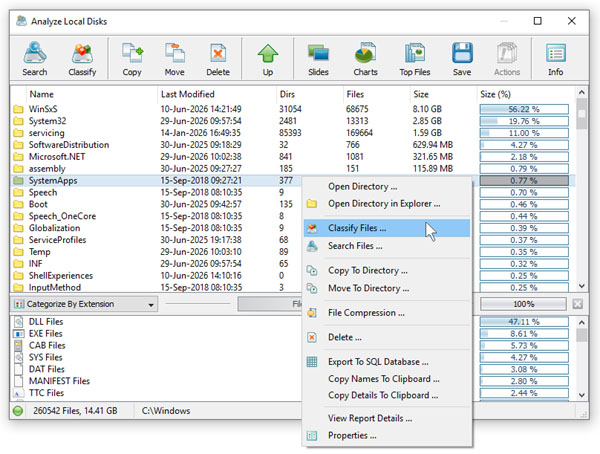
DiskBoss is integrated around a unique file navigator providing file type coloring, a customizable detailed view, a thumbnail view, user-selectable tool panes, file system location bookmarks and advanced file filters. The DiskBoss' built-in file navigator allows one to execute any required operation in a single mouse click. Just select one or more files, directories or disks and press a command button on the main toolbar to start the file classification, storage utilization analysis, data migration or duplicate files identification process. 
The DiskBoss' built-in file navigator provides the following file view modes: the list view mode, the icon view mode, the detailed view mode and the thumbnail view mode. In the thumbnail view mode, DiskBoss supports the following image formats: JPEG, GIF, PNG, BMP, TIFF, PBM, PGM, PPM, XBM, and XPM. 
In the detailed view mode, DiskBoss allows one to customize columns, define user-specific file types and edit the display style for each of them. For example, files having the extension 'EXE' may be displayed as 'Programs' using a bold font on the yellow background. In addition, the detailed view mode provides the user with the ability to sort files by the file name, type, size, creation time, last modification time or last access time. In order to sort files, just click on an appropriate column header. When the user clicks on a column header for the first time, all the files are sorted in the ascending order. To sort files in the descending order, click on the same column header for the second time. 
In order to improve GUI usability and facilitate specific file management tasks, the DiskBoss main GUI application provides four user-selectable GUI layouts. Press the 'Layouts' button to switch the GUI application to the next GUI layout. The first GUI layout places tool panes on the bottom side of the file view. 
The second GUI layout places tool panes on the left side of the file view. The third GUI layout places tool panes on the right side of the file view. Finally, the fourth GUI layout places the first tool pane on the right side of the file view and the second tool pane on the bottom side of the file view.
|
DiskBoss News
|